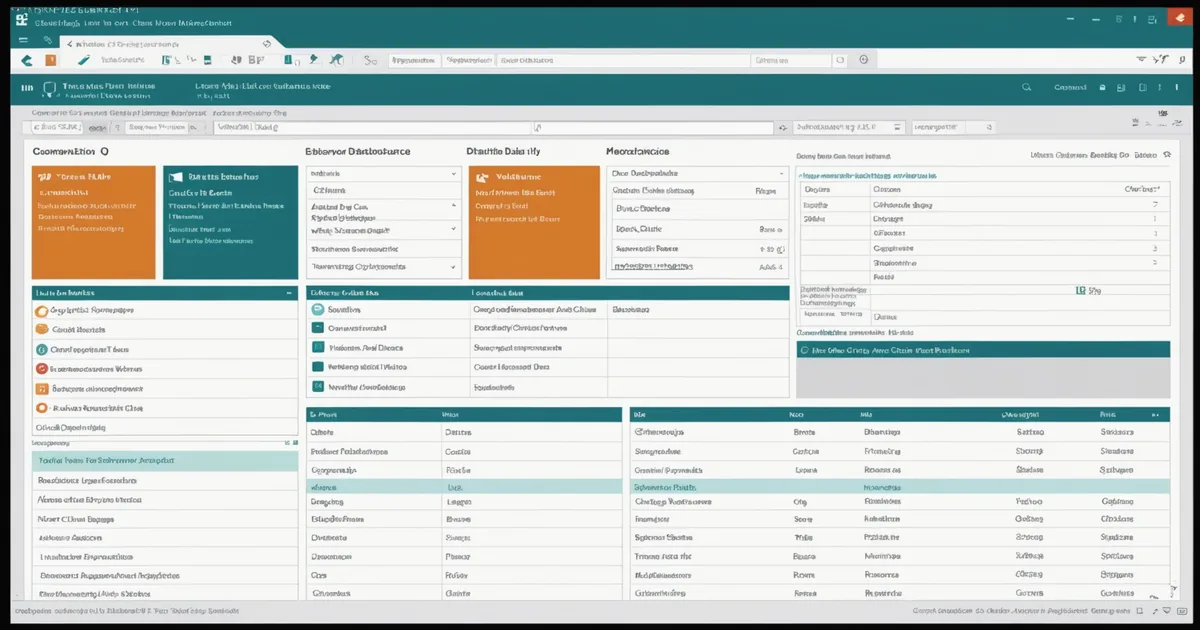
Pinnacle 21 validation is not the last step before regulatory submission. It is the diagnostic step that reveals how well the earlier steps — eCRF design, SDTM mapping, SAS programming, define.xml authoring — were executed. Teams that run Pinnacle 21 for the first time two weeks before a planned submission date and discover 200+ errors are not experiencing a Pinnacle 21 problem. They are experiencing the cumulative cost of not running validation iteratively throughout the study closeout process.
This post focuses on the practical mechanics of working through a Pinnacle 21 report in a Phase I or Phase II setting — specifically how to triage the error classes, distinguish what requires SAS-level dataset correction from what requires define.xml or metadata fixes, and structure the validation workflow to reduce the number of cycles from first run to clean package.
Pinnacle 21 Community vs. Enterprise: What Changes
Pinnacle 21 Community is the free tier — available for download, runs locally, validates SDTM and ADaM datasets against CDISC conformance rules and FDA/PMDA business rules, and produces the standard HTML validation report. For most Phase I and small Phase II submissions, Community covers the validation requirements adequately.
Enterprise adds several capabilities that matter at scale: automated batch validation (running the full dataset package without manual file selection each time), integration with SAS or R pipelines via command-line execution, team-level report management, and comparison of validation results across multiple runs to track error resolution progress. For a CRO managing multiple concurrent submissions, Enterprise's batch capability and report comparison are substantial time savers. For a single study team doing a one-time submission package, Community's feature set is sufficient.
The validation rules themselves are the same between Community and Enterprise — the error logic is not a differentiator. If Community finds an error, Enterprise will find the same error. The choice between them is a workflow and operational efficiency question, not a compliance question.
The Three Error Classes: How to Triage Them
Pinnacle 21 categorizes findings into three severity levels. Understanding what each class actually means for your remediation workflow prevents teams from spending time on the wrong categories.
Errors
Errors are conformance violations that FDA reviewers have indicated will require explanation or resolution before a submission can be accepted. These break down further into two sub-types: data errors (the dataset itself is non-conformant) and metadata errors (the dataset is fine but the define.xml description of it is wrong or missing).
Data errors that commonly require SAS-level correction include: variables with values outside CDISC Controlled Terminology (CT) codelist (e.g., RACE values that don't match the CDISC CT term for the RACE variable in DM domain), missing required variables (SDTM required variables such as STUDYID, USUBJID, DOMAIN that are absent), incorrect variable length (character variables defined shorter than their actual data length), and date format violations (dates not in ISO 8601 YYYY-MM-DD format).
Metadata errors that can be resolved in define.xml without touching the datasets include: missing CodeList references (a variable uses controlled terminology but the define.xml does not reference the appropriate CDISC CT codelist OID), missing Variable Definitions for variables present in the datasets but not described in define.xml, and MethodDef descriptions that are blank or boilerplate.
Warnings
Warnings indicate conditions that deviate from best practice or the SDTMIG preferred approach but are not outright non-conformance. Many warnings are legitimate reflection of study design choices that differ from the standard approach. Not all warnings need remediation — but all warnings need a documented rationale in the CDISC Submission Data Standards Reviewer's Guide (SDSRGRGuide) or a study-specific annotation if the FDA reviewer will encounter the warning.
Common warnings that require attention: controlled terminology used where CT is recommended but not required (the warning exists because FDA reviewers prefer CT compliance even where it is not mandatory), timing variables derivation patterns that deviate from the SDTMIG timing variable convention, and SUPPQUAL domain usage patterns that differ from the standard supplemental qualifier pattern.
Common warnings that are expected and documented rather than corrected: study-specific codelists that are not in the CDISC CT (acceptable when the controlled terminology does not cover the study-specific concept), baseline flag derivation approaches that differ from the SDTMIG preferred method (acceptable when documented and consistently applied), and findings domain variables that carry additional precision beyond the CDISC standard variable length (acceptable with a documented rationale).
Notices
Notices are informational — Pinnacle 21 flagging something for awareness rather than indicating a conformance issue. Typical notices include observations about dataset naming conventions, documentation about CDISC CT version used (if the version is older but valid), and informational flags about domain structures that are unusual but not non-conformant.
We are not saying that notices should be ignored — a notice can sometimes reveal a genuine issue that was not caught as an Error or Warning because the validation rule was not sophisticated enough to classify it at higher severity. A human review of all notices in a first-time validation run is warranted. After the first run, notices that have been reviewed and documented can be deprioritized in subsequent runs.
A Scenario: Phase I Oncology Submission Package, Four Validation Cycles
A data management team at a CRO closing out a Phase I first-in-human oncology study in mid-2024 ran their first Pinnacle 21 Community validation approximately six weeks before the planned submission date. The study had 22 SDTM domains and 8 ADaM datasets. First-run results: 47 Errors, 112 Warnings, 34 Notices.
The 47 Errors broke down roughly as: 18 controlled terminology violations in the AE (adverse events) domain where MedDRA-coded terms had been entered in the verbatim text field rather than the standardized field, 11 define.xml metadata gaps (missing CodeList references for 3 domains), 8 date format issues in the EX (exposure) domain where nominal dates were formatted as YYYY-MM rather than ISO 8601, and 10 miscellaneous variable definition issues.
Resolution approach: the controlled terminology violations required SAS programmer intervention — the SDTM mapping program needed to correctly route MedDRA coded terms to the appropriate domain variables (AEDECOD vs. AETERM). The define.xml metadata gaps were corrected by the CDISC team in the define.xml directly without touching the datasets. The date format issues required a targeted SAS fix to the EX domain derivation. The miscellaneous variable issues were split between SAS fixes and metadata fixes based on root cause.
Cycle 2, three weeks before submission: 8 Errors, 67 Warnings, 31 Notices. The 8 remaining errors were mostly residual date format issues in a secondary domain that had not been caught in the first remediation pass. Cycle 3: 2 Errors, 42 Warnings, 29 Notices. The 2 errors were define.xml MethodDef descriptions that were blank — a one-hour define.xml edit. Cycle 4: 0 Errors, 38 Warnings, 29 Notices. The remaining Warnings and Notices were reviewed, documented with rationale, and included in the Reviewer's Guide. Submission package submitted on schedule.
The reason this progressed cleanly in four cycles rather than the eight-plus cycles seen in teams that start validation later: the initial triage was done by error class and root cause, not by going through errors in Pinnacle 21 report order. Batching the SAS fixes by root cause (controlled terminology routing, date format, variable definition) rather than by domain kept the SAS programmer's time focused on one type of change at a time, reducing re-introduction of errors.
The Define.xml Problem: Underestimated Scope
Define.xml — the Case Report Form Completion Guidelines and dataset metadata document required by FDA for electronic submissions — is responsible for a larger share of Pinnacle 21 errors than most teams anticipate when they first start working on a submission package. Define.xml authoring is a distinct discipline from SAS programming, and the two are not always performed by the same person or at the same time.
Common define.xml error patterns that are not caught until Pinnacle 21 validation:
- Value-Level Metadata (VLM) absence: Variables in findings domains (LB, VS, EG, etc.) that contain multiple test results differentiated by a test code (LBTESTCD, VSTESTCD) should have Value Level Metadata entries in define.xml specifying the units, normal ranges, and codelist references at the value level, not just at the variable level. Missing VLM is a Warning in Pinnacle 21, but FDA reviewers will raise it in a Complete Response Letter if it is systematically absent across a findings-heavy NDA/BLA package.
- Missing MethodDef entries: Every derived variable in an ADaM dataset should have a MethodDef entry in define.xml describing the derivation logic. Blank MethodDef descriptions — especially for primary endpoint analysis variables — are an error that requires a define.xml update, not a SAS fix.
- Outdated CDISC CT version reference: If the define.xml references CDISC CT version 2022-09-30 but the study was mapped using terms from CT 2023-09-29, Pinnacle 21 will flag term-level mismatches. The resolution depends on whether the 2023 terms are backwards compatible — many are, some are not. This requires checking the CDISC CT release notes for the specific terms flagged.
- Inconsistent variable labels: Variable Label in define.xml must match the SAS variable label. If the SAS programmer used "Adverse Event Start Date" and define.xml has "AE Start Date," Pinnacle 21 will flag the discrepancy. These are low-severity but generate many findings in studies where define.xml was authored before the SAS programming was finalized.
CDISC Controlled Terminology: The Maintenance Problem
CDISC publishes CT updates quarterly. The version of CT used in a submission should be documented in define.xml, and Pinnacle 21 checks dataset values against the CT version specified. For a study that started SDTM mapping 18 months before submission, the CT version in use at mapping time may differ from the current version in ways that generate Pinnacle 21 flags on terms that were valid at mapping time but have been superseded.
The practical approach for most Phase I and II studies: lock the CT version at the start of SDTM mapping and do not update it during the mapping process, even if newer CT versions are released. Document the CT version used in the DMP. At submission, if the CT version is more than one major release old, review the release notes for the specific terms used in your submission domains and determine whether any terms were changed in a way that affects submission content. This is a targeted review, not a full remap.
Upgrading CT versions mid-study requires re-running all SDTM mapping programs against the new CT and re-running Pinnacle 21 validation — which adds at least one full validation cycle to the submission timeline. For most Phase I programs, the risk/benefit of a CT version upgrade mid-study does not favor the upgrade unless a specific term that is material to the submission has been corrected in the newer version.
Building Validation Into the Closeout Timeline
Teams that consistently achieve clean submission packages without emergency remediation cycles share one structural habit: they run Pinnacle 21 at every major dataset delivery milestone, not just at submission package finalization. A first validation run at the completion of the initial SDTM mapping, before the full dataset package is built, reveals structural errors (controlled terminology, date formats, required variables) while the SAS programmer is still actively working in the mapping programs. Catching those errors at that stage costs hours, not days.
A second run at first ADaM delivery catches define.xml gaps and VLM issues before the clinical statistician signs off on the ADaM dataset review. A third run at pre-lock dataset freeze catches any residual issues before the database lock creates a more formal change control process for dataset corrections.
The submission package validation run — typically the fourth or fifth run in this approach — should be a formality confirmation, not a discovery exercise. Zero errors going into submission package finalization means the remaining reviewer effort goes into documenting the Warnings and Notices in the Reviewer's Guide, which is legitimate substantive work rather than crisis management.
Running Pinnacle 21 costs nothing in Community tier and about 20–30 minutes per full dataset package run for a typical Phase I study. The marginal cost of running it four times instead of once is measured in hours. The marginal benefit — a submission package that goes in clean, without a Complete Response Letter cycle triggered by avoidable conformance issues — is measured in months.